
Loan Calculator
Calculate your monthly payments, total interest, and view your complete amortization schedule with ease.
Loan Details
Introduction
Whether you’re considering a mortgage, auto loan, personal loan, or student loan, understanding the true cost of borrowing is essential to making informed financial decisions. A loan calculator is a powerful financial tool that helps you determine monthly payments, total interest costs, and create detailed amortization schedules—all in seconds. This comprehensive guide will walk you through everything you need to know about loan calculators, how to use them effectively, and how they can help you save thousands of dollars.
Why Loan Calculators Matter
The average American household carries over $145,000 in debt, with mortgages representing the largest portion. Without proper planning and calculation tools, borrowers often underestimate the true cost of their loans. A loan calculator removes guesswork from the equation, providing accurate projections based on your specific financial situation. By understanding exactly how much you’ll pay over the life of a loan, you can make better decisions about loan terms, down payments, and whether refinancing makes sense.
What Is a Loan Calculator?
Definition and Purpose
A loan calculator is an online financial tool that computes loan-related calculations based on three primary variables: the loan amount (principal), the interest rate, and the loan term (duration). These calculators use standard amortization formulas to determine your monthly payment and provide a complete breakdown of how much of each payment goes toward principal versus interest.
How Loan Calculators Work
Loan calculators operate using the standard amortization formula, which calculates the fixed monthly payment for a loan based on constant-rate debt. The formula takes into account:
•Principal Amount: The total amount borrowed
•Annual Interest Rate: The percentage charged by the lender annually
•Loan Term: The number of months over which you’ll repay the loan
The calculator then generates a detailed amortization schedule showing exactly how your payments are distributed between principal and interest over the life of the loan. Early payments typically consist of more interest, while later payments consist of more principal.
Types of Loans You Can Calculate
Mortgage Calculators
Mortgage calculators help homebuyers and refinancers understand their monthly housing costs. These calculators typically include variables for down payment, property taxes, homeowners insurance, and private mortgage insurance (PMI). A mortgage calculator reveals how different down payment amounts and interest rates affect your monthly payment and total interest paid over 15, 20, or 30-year terms.
Auto Loan Calculators
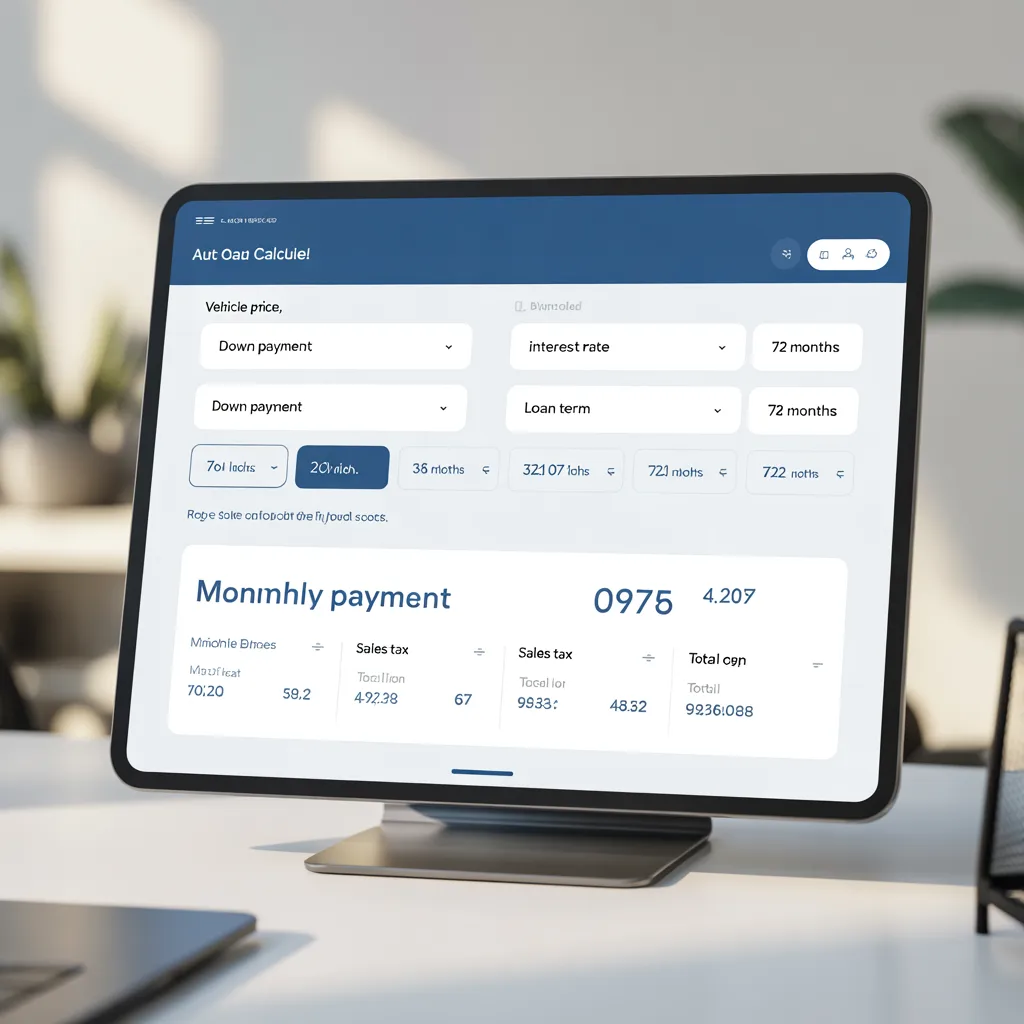
Auto loan calculators help buyers determine monthly car payments based on the vehicle price, down payment, interest rate, and loan term (typically 36 to 72 months). These calculators also account for sales tax and can show how different down payments affect your monthly obligation.
Personal Loan Calculators
Personal loan calculators are used for unsecured loans that can be used for various purposes—debt consolidation, home improvement, medical expenses, or other needs. Personal loans typically have shorter terms (2 to 7 years) and higher interest rates than secured loans like mortgages.
Student Loan Calculators
Student loan calculators help borrowers understand their repayment obligations for federal and private student loans. These specialized calculators often account for different repayment plans, loan forgiveness programs, and interest capitalization.
Business Loan Calculators
Entrepreneurs and small business owners use business loan calculators to project monthly payments for equipment financing, lines of credit, or business expansion loans. These calculators help with cash flow planning and business budgeting.
Key Components of Loan Calculations
Understanding Principal
The principal is the original amount of money you borrow. For example, if you borrow $300,000 to purchase a home, $300,000 is your principal. The principal is the base amount on which interest is calculated. As you make payments, your principal balance decreases, and the interest charged on subsequent payments is calculated on the remaining balance.
Interest Rates Explained
The interest rate is the percentage of the principal that the lender charges you for borrowing money. Interest rates vary based on several factors:
•Credit Score: Borrowers with higher credit scores typically receive lower interest rates
•Loan Type: Secured loans (mortgages, auto loans) usually have lower rates than unsecured loans
•Economic Conditions: Interest rates fluctuate based on Federal Reserve policy and market conditions
•Loan Term: Shorter loan terms often have lower interest rates than longer terms
•Down Payment: Larger down payments can result in better interest rates
Interest can be calculated as either simple interest (calculated only on the principal) or compound interest (calculated on principal plus accumulated interest). Most consumer loans use compound interest.
Loan Terms and Their Impact
The loan term is the length of time you have to repay the loan. Common loan terms include:
•Mortgages: 15, 20, or 30 years
•Auto Loans: 36, 48, 60, or 72 months
•Personal Loans: 2 to 7 years
•Student Loans: 10 to 25 years (depending on repayment plan)
Your choice of loan term significantly impacts your monthly payment and total interest paid. Shorter terms result in higher monthly payments but less total interest, while longer terms result in lower monthly payments but more total interest.
How to Use a Loan Calculator: Step-by-Step Guide
Step 1: Gather Your Loan Information
Before using a loan calculator, collect the following information:
•The loan amount you need to borrow (or the purchase price minus down payment)
•The interest rate offered by your lender
•The desired loan term in years or months
•Any additional fees or costs (for mortgages, include property taxes and insurance estimates)
Step 2: Enter the Loan Amount
Input the principal amount—the total money you’re borrowing. For mortgages, this is typically the home price minus your down payment. For auto loans, it’s the vehicle price minus your down payment. Ensure you enter the exact amount to get accurate calculations.
Step 3: Input the Interest Rate
Enter the annual interest rate offered by your lender. This should be the Annual Percentage Rate (APR), which includes both the interest rate and any lender fees. Using the APR ensures your calculation reflects the true cost of borrowing.
Step 4: Select the Loan Term
Choose your desired loan term. Use the slider or input field to select the number of years you want to take to repay the loan. The calculator will immediately show how different terms affect your monthly payment and total interest.
Step 5: Review the Results
The loan calculator will display:
•Monthly Payment: The fixed amount you’ll pay each month
•Total Interest: The total amount of interest you’ll pay over the life of the loan
•Total Amount Paid: The sum of principal plus all interest
•Amortization Schedule: A detailed month-by-month breakdown of payments
Step 6: Analyze the Amortization Schedule
Review the amortization schedule to understand how your payments are distributed. Early payments consist mostly of interest, while later payments consist mostly of principal. This helps you understand how refinancing at different points could save money.
Key Metrics You’ll Get From a Loan Calculator
Monthly Payment
The monthly payment is the fixed amount you’ll pay each month to repay your loan. This payment includes both principal and interest. For a $300,000 mortgage at 6.5% interest over 30 years, the monthly payment would be approximately $1,896.
Total Interest
Total interest is the cumulative amount of interest you’ll pay over the entire loan term. This is calculated by multiplying your monthly payment by the number of months and subtracting the principal. For the example above, total interest would be approximately $382,486—meaning you’d pay more in interest than the original loan amount.
Total Amount Paid
The total amount paid is the sum of your principal and all interest. In the mortgage example, you’d pay approximately $682,486 total over 30 years. Understanding this figure helps you evaluate whether the loan makes financial sense.
Interest-to-Principal Ratio
The interest-to-principal ratio shows what percentage of your total payments go toward interest versus principal. Early in the loan, this ratio heavily favors interest. As you progress through the loan term, more of each payment goes toward principal. This ratio is important for understanding refinancing opportunities.
Practical Applications: Real-World Scenarios
Scenario 1: Comparing Mortgage Terms
Imagine you’re buying a $400,000 home with a $100,000 down payment, leaving a $300,000 mortgage at 6.5% interest. Using a loan calculator, you can compare:
•15-Year Mortgage: Monthly payment of $2,516, total interest of $152,880
•20-Year Mortgage: Monthly payment of $2,007, total interest of $181,680
•30-Year Mortgage: Monthly payment of $1,896, total interest of $382,486
By comparing these options, you can see that a 15-year mortgage costs $620 more per month but saves $229,606 in interest compared to a 30-year mortgage. This analysis helps you decide what you can afford and what makes financial sense.
Scenario 2: Evaluating Auto Loan Options
You’re purchasing a $35,000 vehicle with a $7,000 down payment, leaving $28,000 to finance at 5.5% interest. Comparing loan terms:
•36-Month Loan: Monthly payment of $823, total interest of $1,628
•48-Month Loan: Monthly payment of $632, total interest of $2,336
•60-Month Loan: Monthly payment of $528, total interest of $3,680
The 36-month loan saves you $2,052 in interest compared to the 60-month option, but requires a $295 higher monthly payment. Your choice depends on your budget and financial priorities.
Scenario 3: Personal Loan Consolidation
You have $25,000 in credit card debt at an average interest rate of 18% and want to consolidate it into a personal loan at 8% interest over 5 years. Using a calculator:
•Credit Card Debt (18% over 5 years): Minimum payments of approximately $555/month, total interest of $8,300
•Personal Loan (8% over 5 years): Fixed payment of $608/month, total interest of $1,480
By consolidating, you’d pay $7,820 less in interest, despite a slightly higher monthly payment. This demonstrates how loan calculators help identify money-saving opportunities.
Advanced Features of Modern Loan Calculators
Amortization Schedules
An amortization schedule is a detailed table showing each payment over the life of the loan, broken down into principal and interest components. This schedule helps you understand:
•How your loan balance decreases over time
•When you’ll reach 50% principal payoff
•How much interest you’ll pay in specific years (useful for tax deductions)
•The impact of making extra payments
Comparison Tools
Many advanced loan calculators allow you to compare multiple loan scenarios side-by-side. This feature helps you evaluate different interest rates, terms, or down payments to find the optimal borrowing strategy.
Extra Payment Calculators
Some loan calculators include the ability to model extra payments. By entering additional monthly or annual payments, you can see how much faster you’ll pay off the loan and how much interest you’ll save. For example, adding just $200 to your monthly mortgage payment could save you tens of thousands in interest and shorten your loan term by several years.
Refinancing Calculators
Refinancing calculators help you determine whether refinancing your existing loan makes financial sense. These tools account for refinancing costs and show break-even points where savings exceed refinancing expenses.
Prepayment Penalty Calculators
Some loans include prepayment penalties for paying off the loan early. Advanced calculators account for these penalties when evaluating early payoff scenarios.
Benefits of Using a Loan Calculator
Make Informed Decisions
Loan calculators provide accurate, objective information about borrowing costs. This data empowers you to make decisions based on facts rather than guesses or sales pitches from lenders.
Compare Loan Options
By running multiple scenarios, you can compare different lenders’ offers, interest rates, and terms to identify the best option for your situation. Even a 0.5% difference in interest rate can save you thousands over the life of a loan.
Understand True Borrowing Costs
Many borrowers focus only on monthly payments without considering total interest. Loan calculators reveal the true cost of borrowing, helping you understand whether a loan makes financial sense.
Plan Your Finances
Knowing your exact monthly payment helps you budget effectively and plan for other financial goals. Loan calculators provide the certainty needed for long-term financial planning.
Evaluate Refinancing Opportunities
If interest rates drop or your credit score improves, loan calculators help you determine whether refinancing makes sense. You can calculate potential savings and compare them to refinancing costs.
Accelerate Debt Payoff
By modeling extra payments, you can see how small additional payments dramatically reduce your loan term and interest costs. This motivation can help you commit to an accelerated payoff strategy.
Common Mistakes to Avoid When Using Loan Calculators
Mistake 1: Using Interest Rate Instead of APR
The interest rate is just the base rate, while the Annual Percentage Rate (APR) includes the interest rate plus lender fees. Always use the APR in your calculator for accurate results. Using just the interest rate will underestimate your true borrowing costs.
Mistake 2: Forgetting Additional Costs
For mortgages, don’t forget to include property taxes, homeowners insurance, and PMI in your calculations. For auto loans, include sales tax and registration fees. These costs significantly impact your total monthly obligation.
Mistake 3: Ignoring Variable Rate Loans
If you’re considering an adjustable-rate mortgage (ARM) or variable-rate loan, remember that your interest rate may increase over time. Calculate scenarios using higher rates to understand your worst-case monthly payment.
Mistake 4: Not Comparing Multiple Scenarios
The real power of loan calculators is the ability to compare options. Don’t settle for the first scenario you calculate. Try different terms, down payments, and interest rates to find the optimal choice.
Mistake 5: Overlooking the Amortization Schedule
Many borrowers look only at the monthly payment without reviewing the amortization schedule. The schedule reveals important information about how your payments are distributed and when you’ll reach key milestones.
How Loan Calculators Help You Save Money
Identifying the Optimal Loan Term
Using a loan calculator, you can find the sweet spot between monthly affordability and total interest paid. A slightly shorter term might be affordable and save significant interest.
Evaluating Down Payment Strategies
Loan calculators show how different down payment amounts affect your monthly payment and total interest. A larger down payment reduces the loan amount and total interest, but requires more upfront cash. Calculators help you balance these considerations.
Comparing Interest Rates
Even small differences in interest rates have enormous impacts over the life of a loan. A loan calculator shows exactly how much you save with better rates, motivating you to shop around with multiple lenders.
Modeling Extra Payments
By showing the impact of extra payments, loan calculators help you understand that small additional payments can save tens of thousands in interest and years of payments.
Assessing Refinancing Opportunities
When interest rates drop, loan calculators help you determine whether refinancing makes financial sense by calculating savings versus refinancing costs.
Loan Calculator Tools and Resources
Online Loan Calculators
Numerous free online loan calculators are available, including:
•Mortgage Calculators: Zillow, Bankrate, LendingTree
•Auto Loan Calculators: Edmunds, Kelley Blue Book, Bankrate
•Personal Loan Calculators: NerdWallet, LendingClub, Bankrate
•Student Loan Calculators: Federal Student Aid, StudentLoans.gov
Specialized Calculators
Beyond basic loan calculators, specialized tools include:
•Mortgage Affordability Calculators: Determine how much house you can afford based on income
•Debt Consolidation Calculators: Compare consolidation options versus keeping separate debts
•Loan Payoff Calculators: Model accelerated payoff strategies
•Refinancing Calculators: Evaluate refinancing opportunities
Calculator Features to Look For
When choosing a loan calculator, look for:
•Accuracy: Calculators should use standard amortization formulas
•Detailed Amortization Schedules: Month-by-month breakdowns help you understand payment distribution
•Comparison Tools: Ability to compare multiple scenarios
•Extra Payment Modeling: Shows impact of additional payments
•Mobile Compatibility: Works on smartphones and tablets
•No Registration Required: Free access without creating accounts
Loan Calculator: Your Financial Planning Solution
For those seeking a comprehensive, user-friendly loan calculator, modern web-based tools offer an excellent solution. The best loan calculators combine accuracy, ease of use, and comprehensive features in an attractive, intuitive interface.
Key Features of a Quality Loan Calculator
An excellent loan calculator should include:
•Real-Time Calculations: Results update instantly as you adjust inputs
•Interactive Sliders: Easy adjustment of loan parameters
•Comprehensive Results: Monthly payment, total interest, and total amount paid
•Detailed Amortization Schedule: Month-by-month breakdown of payments
•Responsive Design: Works seamlessly on desktop, tablet, and mobile devices
•Professional Design: Clean, modern interface that’s easy to navigate
•No Hidden Fees: Transparent calculations with no surprise charges
How to Choose the Right Loan Calculator
When selecting a loan calculator, consider:
•Loan Type: Ensure the calculator supports your specific loan type
•Customization: Can you adjust all relevant parameters for your situation?
•Accuracy: Does it use standard amortization formulas?
•Usability: Is the interface intuitive and easy to navigate?
•Additional Features: Does it offer comparison tools, extra payment modeling, or refinancing analysis?
•Accessibility: Is it available on all devices you use?
Frequently Asked Questions About Loan Calculators
Q: Are loan calculators accurate?
A: Yes, loan calculators using standard amortization formulas are highly accurate. However, they provide estimates based on the information you input. Your actual loan payments may vary slightly due to factors like payment timing, interest rate adjustments, or additional fees not included in the calculator.
Q: What’s the difference between APR and interest rate?
A: The interest rate is the base percentage charged on the loan, while the APR (Annual Percentage Rate) includes the interest rate plus lender fees, expressed as an annual rate. The APR provides a more accurate representation of the true cost of borrowing and is what you should use in loan calculators.
Q: How much can I save by making extra payments?
A: Extra payments significantly reduce both your loan term and total interest. For example, adding $200 to your monthly mortgage payment could save you $100,000+ in interest and reduce your loan term by 5-10 years, depending on your loan amount and interest rate.
Q: Should I choose a shorter or longer loan term?
A: This depends on your financial situation. Shorter terms result in higher monthly payments but less total interest, while longer terms result in lower monthly payments but more total interest. Choose the shortest term you can comfortably afford to minimize total interest paid.
Q: When should I consider refinancing?
A: Refinancing makes sense when interest rates drop significantly (typically 0.5-1% or more), your credit score has improved, or your financial situation has changed. Use a refinancing calculator to determine whether savings exceed refinancing costs.
Q: Can I use a loan calculator for variable-rate loans?
A: Yes, but remember that variable-rate loans have interest rates that change over time. Calculate scenarios using higher rates to understand your worst-case monthly payment if rates increase.
Q: How do I interpret the amortization schedule?
A: The amortization schedule shows each payment broken down into principal and interest components. Early payments consist mostly of interest, while later payments consist mostly of principal. This schedule helps you understand how your loan balance decreases over time.
Conclusion
A loan calculator is an indispensable tool for anyone considering borrowing money. Whether you’re evaluating a mortgage, auto loan, personal loan, or any other type of debt, a loan calculator provides the information you need to make informed financial decisions. By understanding your monthly payment, total interest, and payment distribution through an amortization schedule, you can identify opportunities to save money and choose loan terms that align with your financial goals.
The key to using a loan calculator effectively is to run multiple scenarios, compare options, and think beyond just the monthly payment. Consider the total cost of borrowing, evaluate refinancing opportunities, and model the impact of extra payments. With these tools and strategies, you can borrow smarter, save money, and achieve your financial goals more efficiently.
Start using a loan calculator today to take control of your financial future and make decisions based on accurate, objective information rather than guesses or assumptions.