
Mortgage Calculator
Calculate your monthly mortgage payments, visualize amortization, and plan your home financing with confidence.
Loan Details
Payment Breakdown
Total Cost Breakdown
Loan Summary
What Is a Mortgage Calculator?
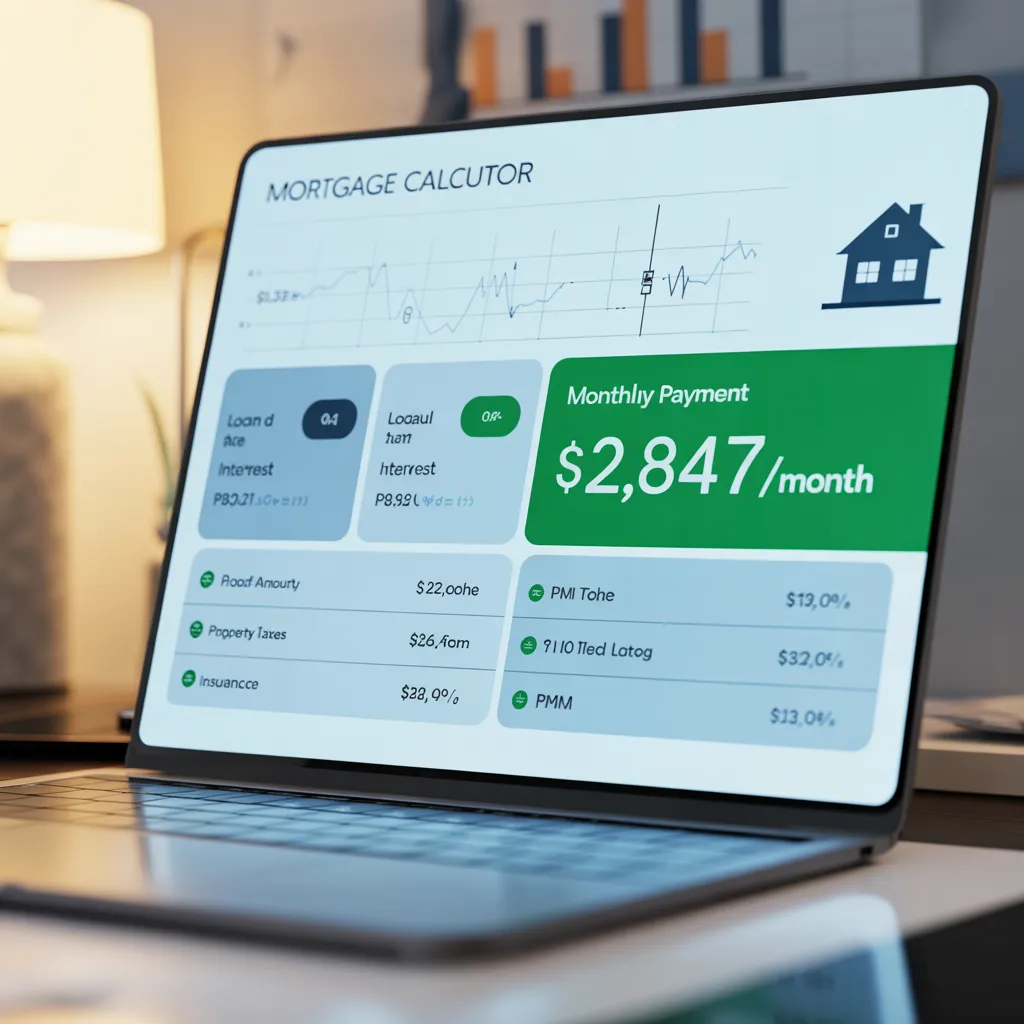
A mortgage calculator is a digital financial tool that estimates your monthly mortgage payment based on specific loan parameters. It takes complex mathematical formulas and converts them into easy-to-understand payment estimates that help you make informed decisions about home purchases and refinancing options. The standard mortgage calculation uses the amortization formula, which accounts for the principal loan amount, interest rate, and loan term to determine your monthly payment obligation. Modern mortgage calculators go beyond basic calculations, often including property taxes, homeowners insurance, PMI (private mortgage insurance), and HOA fees to provide a comprehensive picture of your total monthly housing costs.
Why Mortgage Calculators Matter in Today’s Housing Market
With mortgage rates fluctuating regularly and home prices varying significantly by location, having access to an accurate mortgage calculator has become essential for anyone considering homeownership. According to industry data, homebuyers who use mortgage calculators during their planning phase are more likely to make financially sound decisions and less likely to experience payment shock after closing.
Why You Need a Mortgage Calculator
1. Determine Your Home Affordability
The most critical use of a mortgage calculator is determining how much house you can actually afford. Many first-time homebuyers focus on the maximum loan amount they qualify for, which often exceeds what they can comfortably afford. A mortgage calculator helps you work backwards from your desired monthly payment to find your realistic price range. The 28/36 Rule: Lenders typically use debt-to-income ratios to qualify borrowers. Your housing costs (including mortgage, taxes, and insurance) should not exceed 28% of your gross monthly income, and your total debt payments should not exceed 36%.
2. Compare Different Loan Scenarios
A mortgage calculator allows you to compare multiple scenarios instantly:
- •15-year vs. 30-year loans: See how loan term affects monthly payments and total interest paid
- •Different down payment amounts: Understand the impact of 5%, 10%, 15%, or 20% down payments
- •Various interest rates: Evaluate how rate changes affect your monthly obligation
- •Different home prices: Test multiple price points to find your sweet spot
3. Plan for Additional Costs
Beyond principal and interest, homeownership involves property taxes, homeowners insurance, PMI, and potentially HOA fees. A comprehensive mortgage calculator includes these costs, giving you a true picture of your monthly housing expense.
4. Evaluate Refinancing Opportunities
If you’re a current homeowner, a mortgage calculator helps you determine whether refinancing makes financial sense. You can calculate potential savings from lower interest rates and determine your break-even point.
5. Make Strategic Financial Decisions
Understanding your mortgage payment helps you make better decisions about:
- •How much to put down as a down payment
- •Whether to pay discount points to lower your interest rate
- •Whether a shorter loan term is financially feasible
- •How much cash to reserve for emergencies and home maintenance
How Mortgage Calculators Work: The Math Behind the Tool
The Amortization Formula
Mortgage calculators use the standard amortization formula to calculate monthly payments:
M = P × [r(1+r)^n] / [(1+r)^n – 1]
Where:
•M = Monthly payment
•P = Principal loan amount (home price minus down payment)
•r = Monthly interest rate (annual rate divided by 12, then by 100)
•n = Total number of payments (loan term in years multiplied by 12)
Example Calculation
Let’s say you’re buying a $300,000 home with a $60,000 down payment (20%), a 6.5% interest rate, and a 30-year loan term:
•Principal (P) = $240,000
•Monthly interest rate (r) = 6.5% ÷ 12 ÷ 100 = 0.00542
•Number of payments (n) = 30 × 12 = 360
Using the formula, your monthly principal and interest payment would be approximately $1,516.96.
Additional Costs Included in Comprehensive Calculators
Most modern mortgage calculators include:
1.Property Taxes: Varies by location and home value
2.Homeowners Insurance: Typically $800-$1,500 annually
3.PMI (Private Mortgage Insurance): Required if down payment is less than 20%
4.HOA Fees: If applicable to your property
5.Utilities and Maintenance: Optional estimates
Key Inputs for Your Mortgage Calculator
To get accurate results from a mortgage calculator, you’ll need to gather the following information:
1. Home Price
The total purchase price of the property you’re considering. This is the starting point for all calculations. If you’re shopping for homes, you might run multiple scenarios with different price points.
2. Down Payment Amount (or Percentage)
The amount of cash you’ll pay upfront. Most calculators allow you to enter either a dollar amount or a percentage. Common down payment amounts range from 3% to 20%, though some programs allow lower percentages.
Down Payment Impact: A larger down payment reduces your loan amount and monthly payment, and eliminates PMI if you put down 20% or more.
3. Interest Rate
The annual percentage rate (APR) on your mortgage. Current rates fluctuate daily based on market conditions. You can get rate quotes from lenders or check current rates online. Even small rate changes significantly impact your monthly payment.
Rate Sensitivity: A 0.5% rate increase on a $240,000 loan can increase your monthly payment by approximately $130.
4. Loan Term
The length of your loan, typically 15, 20, or 30 years. Shorter terms mean higher monthly payments but less total interest paid. Longer terms mean lower monthly payments but more total interest paid over the life of the loan.
5. Property Taxes
Annual property tax amount for your specific location. Property taxes vary dramatically by state and county. You can research typical rates for your target area or ask the seller’s agent for the current property tax bill.
6. Homeowners Insurance
Annual homeowners insurance premium. Get quotes from insurance companies or use average rates for your area ($800-$1,500 annually is typical).
7. PMI (If Applicable)
Private mortgage insurance is required if your down payment is less than 20%. PMI typically costs 0.5% to 1% of the loan amount annually.
8. HOA Fees (If Applicable)
If the property is in a homeowners association, include the monthly HOA fee. These vary widely but can range from $50 to $500+ monthly.
Understanding Your Mortgage Calculator Results
A quality mortgage calculator provides several key outputs:
1. Monthly Payment Breakdown
The calculator shows your payment divided into components:
•Principal & Interest: The amount that goes toward paying down your loan
•Property Taxes: Your monthly share of annual property taxes
•Homeowners Insurance: Your monthly insurance payment
•PMI: If applicable, the monthly mortgage insurance cost
•HOA Fees: If applicable, your monthly community fees
2. Total Payment Over Loan Life
This shows the total amount you’ll pay over the entire loan term. For a $240,000 loan at 6.5% over 30 years, you might pay approximately $546,000 total, meaning about $306,000 goes to interest.
3. Amortization Schedule
A detailed month-by-month breakdown showing:
•How much of each payment goes to principal vs. interest
•Your remaining loan balance after each payment
•How principal and interest portions change over time (early payments are mostly interest; later payments are mostly principal)
4. Payoff Timeline
The exact date when your loan will be paid off if you make regular payments.
5. Principal vs. Interest Visualization
Charts showing the breakdown of your total payments between principal repayment and interest costs, helping you visualize the true cost of borrowing.
Step-by-Step Guide: Using a Mortgage Calculator
Step 1: Gather Your Information
Before opening a mortgage calculator, collect:
•Target home price(s)
•Available down payment amount
•Current mortgage rates (check lender websites or rate aggregators)
•Your target location (for property tax research)
•Insurance quotes for your area
Step 2: Enter the Home Price
Start by entering the purchase price of the home you’re considering. If you’re in the early stages of shopping, use an average price for your target area.
Step 3: Input Your Down Payment
Enter your down payment amount. If you’re unsure, start with 20% (which eliminates PMI) and then run scenarios with lower percentages to see the impact.
Pro Tip: Run multiple scenarios:
•Conservative: 20% down
•Moderate: 10-15% down
•Aggressive: 3-5% down
Step 4: Enter the Interest Rate
Input the interest rate you expect to qualify for. If you haven’t received quotes, use current market rates as a starting point. Run multiple scenarios with rates 0.5% higher and lower to understand rate sensitivity.
Step 5: Select Your Loan Term
Choose your desired loan term (15, 20, or 30 years). Most homebuyers select 30-year mortgages for lower monthly payments, but 15-year mortgages build equity faster and cost less in total interest.
Step 6: Add Property Taxes
Research property tax rates for your target location. Many county assessor websites provide this information. Enter the annual property tax amount or percentage.
Step 7: Include Homeowners Insurance
Get insurance quotes for the property type and location you’re considering. Enter the annual premium amount.
Step 8: Account for PMI (If Applicable)
If your down payment is less than 20%, the calculator should automatically include PMI. Verify the amount is reasonable (typically 0.5-1% of loan amount annually).
Step 9: Add HOA Fees (If Applicable)
If the property has HOA fees, enter the monthly amount. This significantly impacts your total monthly housing cost.
Step 10: Review Your Results
Examine the monthly payment breakdown and total cost over the loan life. Ask yourself:
•Is this monthly payment comfortable within my budget?
•How much total interest will I pay?
•What percentage of my income goes to housing?
•Can I handle this payment if my income decreases?
Step 11: Run Comparison Scenarios
Use the calculator to compare different scenarios:
•Different down payment amounts
•Different loan terms
•Different interest rates
•Different home prices
Step 12: Plan Your Next Steps
Based on your calculations, determine:
•Your realistic home price range
•How much down payment to save
•Whether to get pre-approved for a mortgage
•When you’ll be ready to start house hunting
Advanced Mortgage Calculator Features
Modern mortgage calculators often include advanced features:
1. Amortization Schedule Visualization
Visual charts showing how your payment is split between principal and interest over time. Early in the loan, most of your payment goes to interest; later, most goes to principal.
2. Payoff Timeline
See exactly when your loan will be paid off and how much total interest you’ll pay.
3. Rate Adjustment Scenarios
For adjustable-rate mortgages (ARMs), see how your payment changes when rates adjust.
4. Refinancing Analysis
Compare your current mortgage with refinancing options to determine if refinancing makes financial sense.
5. Extra Payment Impact
See how making extra principal payments affects your payoff timeline and total interest paid.
6. Affordability Calculator
Work backwards from your desired monthly payment to determine your maximum home price.
7. Comparison Tools
Compare multiple scenarios side-by-side to evaluate different options.
8. Mobile-Responsive Design
Access the calculator from any device—desktop, tablet, or smartphone.
Common Mistakes When Using a Mortgage Calculator
Mistake 1: Using Only the Maximum Qualification Amount
Lenders will approve you for the maximum amount you technically qualify for, but this often exceeds what you can comfortably afford. Use your calculator to determine what you can actually afford, not just what you qualify for.
Mistake 2: Forgetting to Include Property Taxes and Insurance
Many homebuyers focus only on principal and interest, forgetting that property taxes and insurance can add $300-$600+ to your monthly payment. Always include these costs in your calculation.
Mistake 3: Underestimating Additional Costs
Don’t forget:
•PMI (if down payment is less than 20%)
•HOA fees
•Utilities
•Home maintenance and repairs
•Homeowners insurance increases over time
Mistake 4: Not Running Multiple Scenarios
The real value of a mortgage calculator is comparing different options. Run at least three scenarios (conservative, moderate, aggressive) to understand your options.
Mistake 5: Using Outdated Interest Rates
Mortgage rates change frequently. Always use current rates when running calculations. Check multiple lenders for rate quotes.
Mistake 6: Ignoring the Total Interest Cost
Many people focus only on the monthly payment and miss the big picture. A $1,500 monthly payment over 30 years means paying over $500,000 total. Understanding this helps you make better decisions about down payment size and loan term.
Mistake 7: Not Accounting for Income Variability
If your income fluctuates (commission-based, seasonal, self-employed), calculate your payment based on a conservative income estimate.
Mistake 8: Forgetting About Rate Lock Periods
If you’re getting pre-approved, your rate is only locked for a specific period (typically 30-60 days). If your closing takes longer, your rate might change.
Mortgage Calculator vs. Professional Loan Officer
While mortgage calculators are valuable tools, they have limitations:
Advantages of Mortgage Calculators
•Instant Results: Get calculations immediately
•Scenario Comparison: Easily compare multiple options
•No Pressure: Explore options without sales pressure
•Educational: Learn how different factors affect your payment
•Free: Most calculators are completely free
Advantages of Working with a Loan Officer
•Personalized Advice: Get recommendations based on your specific situation
•Rate Quotes: Receive actual rate quotes (not just estimates)
•Pre-Approval: Get formally pre-approved for a specific loan amount
•Program Knowledge: Learn about special programs (first-time buyer, down payment assistance, etc.)
•Problem Solving: Address credit issues or unusual financial situations
•Closing Support: Guidance through the entire loan process
Best Practice
Use a mortgage calculator for initial planning and scenario comparison, then work with a loan officer to get actual rate quotes and formal pre-approval.
Frequently Asked Questions About Mortgage Calculators
Q: How accurate are mortgage calculators?
A: Quality mortgage calculators are quite accurate for estimating monthly payments based on the inputs you provide. However, actual payments may vary slightly due to factors like exact closing costs, final property tax assessments, and insurance premium adjustments. Always verify calculations with your lender.
Q: What’s the difference between APR and interest rate?
A: The interest rate is the cost of borrowing the principal. The APR (Annual Percentage Rate) includes the interest rate plus other costs like origination fees and points. Lenders are required to disclose both.
Q: Should I use a 15-year or 30-year mortgage?
A: This depends on your financial situation. A 15-year mortgage has higher monthly payments but costs significantly less in total interest. A 30-year mortgage has lower monthly payments but costs more in total interest. Use your calculator to compare both options and determine what fits your budget and goals.
Q: How much should I put down?
A: The amount depends on your financial situation. A 20% down payment eliminates PMI, but if you don’t have 20% saved, putting down 5-10% and paying PMI might allow you to buy sooner. Use your calculator to compare scenarios.
Q: What if I want to pay off my mortgage early?
A: Many calculators show the impact of making extra principal payments. Even small additional payments can significantly reduce your loan term and total interest paid.
Q: How do property taxes affect my payment?
A: Property taxes are calculated annually based on your home’s assessed value and your location’s tax rate. They’re divided by 12 and added to your monthly payment. Property taxes vary dramatically by location—from less than 1% of home value annually in some states to over 2% in others.
Q: What is PMI and when can I remove it?
A: PMI (Private Mortgage Insurance) protects the lender if you default. It’s required when your down payment is less than 20%. You can typically request PMI removal once you’ve paid down the loan to 80% of the original home value.
Q: Can I use a mortgage calculator for refinancing?
A: Yes, many calculators have refinance options. Enter your current loan balance, remaining term, and new interest rate to see if refinancing makes sense.
Q: How do interest rate changes affect my payment?
A: Even small rate changes significantly impact your monthly payment. A 0.5% rate increase on a $240,000 loan increases your monthly payment by approximately $130. Use your calculator to test different rates.
Q: What’s the best time to use a mortgage calculator?
A: Use a mortgage calculator:
•When you’re first considering homeownership
•Before meeting with a lender
•When comparing different home prices
•When evaluating refinancing options
•When planning your down payment strategy
Conclusion: Making Smarter Mortgage Decisions
A mortgage calculator is one of the most valuable tools available to homebuyers and current homeowners. By understanding how to use one effectively, you can make informed financial decisions that align with your goals and budget.
The key is to run multiple scenarios, include all relevant costs (not just principal and interest), and use the calculator as a planning tool alongside professional advice from a loan officer or financial advisor.
Whether you’re a first-time homebuyer exploring affordability or a current homeowner evaluating refinancing options, a quality mortgage calculator empowers you to understand the true cost of borrowing and make decisions that support your long-term financial health.
Start by gathering your information, running your first scenario, and comparing different options. The insights you gain will guide your entire home buying or refinancing journey.